Good afternoon. The problem with scaling the subject description window has remained, and it is only in Russian and partially in Polish, it is normal in almost all other languages. Please fix it 


у меня такое же разрешение, но когда меняешь язык на Английский, то все ок, скорее всего проблема в шрифте а тобишь в его размере или я фик его знает
Nice! thanks for the report. Sent it through our UI department 
Still the same display problem, I still can’t see the bottom of the screen on my Steam Deck, the weapon will evolve in the game less I would see the bottom window, there is a real problem with the display taken in charge because I no longer even see the weight, the duration of the object, nor the cost of the improvement. It also happens to me on other equipment so it becomes hard to continue. Can you fix this please!!! I love this game and I want to continue the adventure with you!

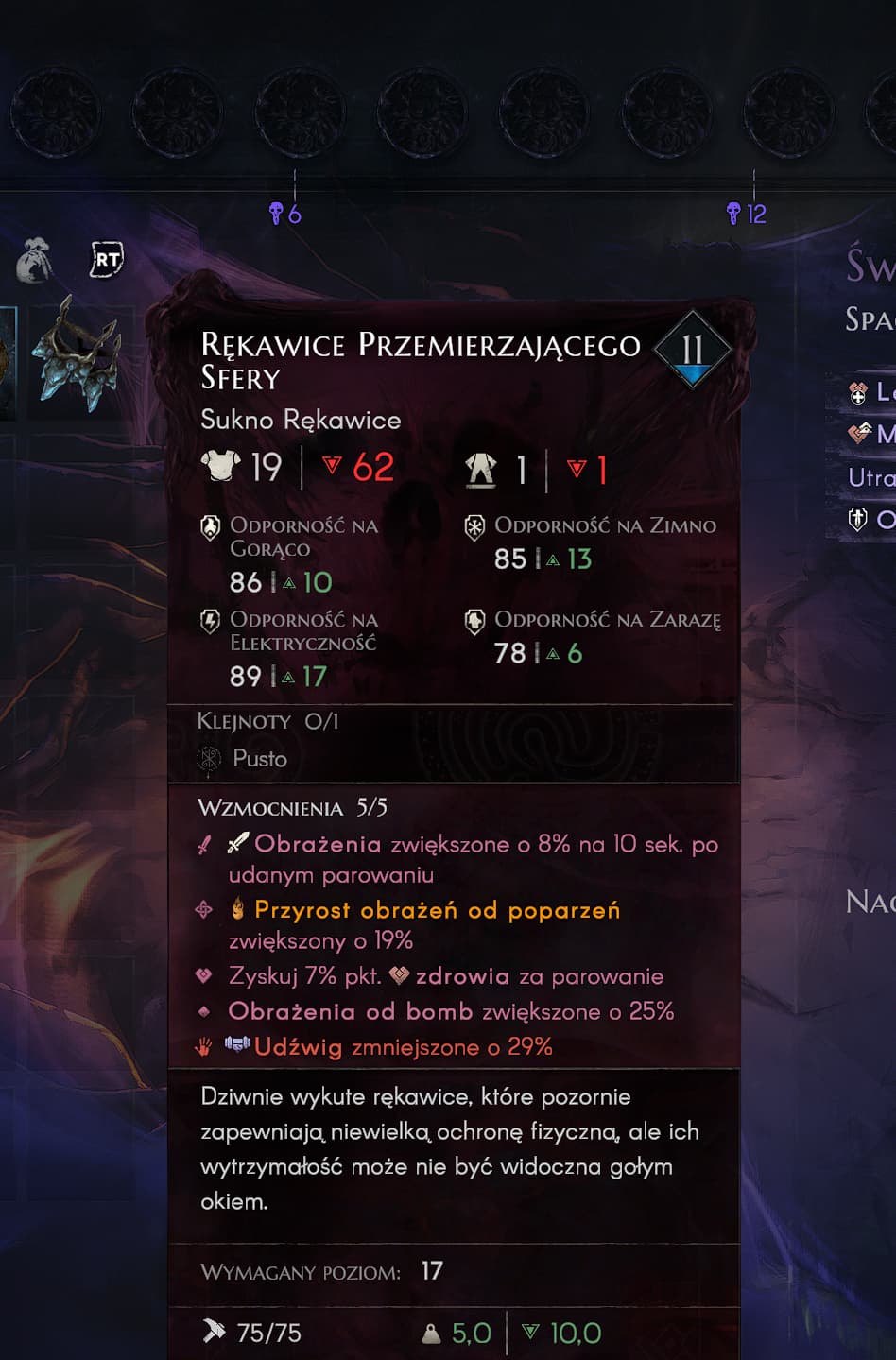
Item descriptions don’t fit on the screen. Prices and required characteristics are listed in the English version.

The problem also occurs when viewing items in the challenge


Seen and escalated wizorvi, thank you!
Silas

Thanks for the information. I’ve updated the post.
@Silas-Inservio-Pax The issue is present in all localization languages. It can be reproduced on a cursed item with a gem, where the effect description won’t fit on a single line.
@Silas-Inservio-Pax The problem is in English too. Updated the post.
Hi! New player here!
I have a problem: the item description is way too long, I can’t see the requirements!

All informations required are here : Jeu - Google Drive


1)Plague Burn value doesn’t show if item description too long

2) 0/6 marker on all bounties, regardless of how many enemies are needed to be killed in the bounty - it never updates as well, and remains even after bounty is completed.

3) Hide head gear doesn’t update the portrait.
4) Can’t change character creation name on gamepad, I am using steam input.

Good finds Ortu, escalating this!
Silas
same for me https://forum.norestforthewicked.com/t/unable-to-see-full-item-info/23290
Suggestions for improvement is reduce the on-screen information
make the equipment description expandable so that it can be fully revealed if necessary
hotkeys are [Y] - compare equipment, [Press the left joystick] - hide/show the full description of the item
I think the issue could be resolved by adding a scroll element for item information or by reworking the UI. I’ve highlighted the overlapping issue separately here.