I am playing this on PC with my Ps5 controller and it seems like the weapon and utility rune button on the controller have same button and its only let me use the weapon rune. the utility rune can be acess when i open the menu and press the button but still i cant use it.
Since the controller also have less button it seems like i cant put the input into other putton. its all good with the keyboard tho so please look into it. hear is a video for better understanding.https://youtu.be/bSS4sHcvB30
Are you sure you didn’t change/customize the Combat button assignments…? Because I play on Controller and the default combat assignment for things like Attack (X) was on the button pad. Yours is on R1, which I think seems kinda off.
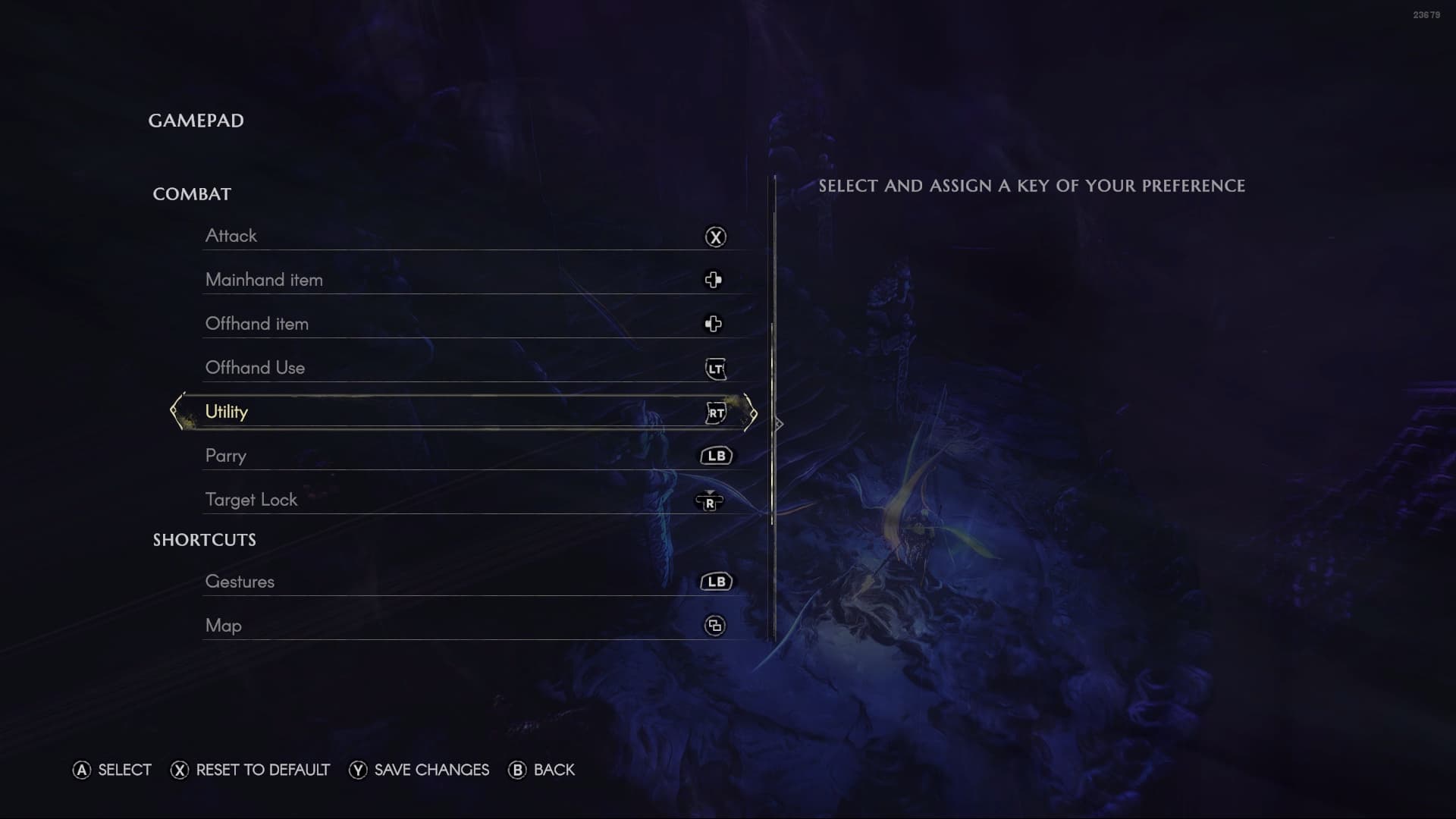
Toggle Runes for me is on RB (R1)

So the previous Emote Wheel, and now the Utility Arm being on R2 wasn’t/isn’t in conflict.
Ok, i went back and tried to change the controls and it seems like you cant change the parry in the 4 buttons(cross, triangle, square, circle) and it seems like this could solve my problem if it worked but it dosent. it seems some actions can be bind in 1 keys and that key can bind 2 or more actions(like run and jump on a single button) but you cant do this with parry on square.
I think ur solution solved my problem in a way but mannage to find another problem
Not sure what you mean by this. You have Parry set to R2 in your video. Do you mean you are trying to set Parry to Square, and it’s not allowing you to?
In addition, have you tried using the RESET TO DEFAULT option at the bottom of the screen first?
yeah, i tried to put it in square later(after ur response) but it seems it is not letting 2 input in same button unlike other.
I have not tried that because i came from dark souls games so i tried to make the input similar to that. although i mannage to change and now its working(not the key binding i wanted but still) so i think i just have to adapt to it.
although i think they should look into it why some buttons can have 2 inputs but some dosnt. Thanks tho
Some buttons cannot have the HOLD-function assigned because it is already used by default for the game UI.
Like the Skip Cutscene action, or others. So the system by default uses some of those already. So you cannot assign other actions to those combos/functions.
Hi @Nomology,
I’m glad you were able to find a fix for your issue with the help of Gantrithor. I highly recommend you forward this over to the feedback channel if you feel the team should look at allowing more buttons to have two inputs.
With thanks,
Jake