That’s correct.
Previous setup: Intel core 17 6th generation, 16 GB Ram DDR4, Radeon 5500 XT 4gb Graphics Card
thanks for the information
Hey Diego! This is unfortunately an Intel driver problem – we’re currently coordinating with Intel to get an updated driver with a fix!
First of all, sorry for the English, but I’m Brazilian and I don’t speak fluent English and I’m using a translator. 
( I can’t include all the step-by-step images because it only allows one image attachment per post.)
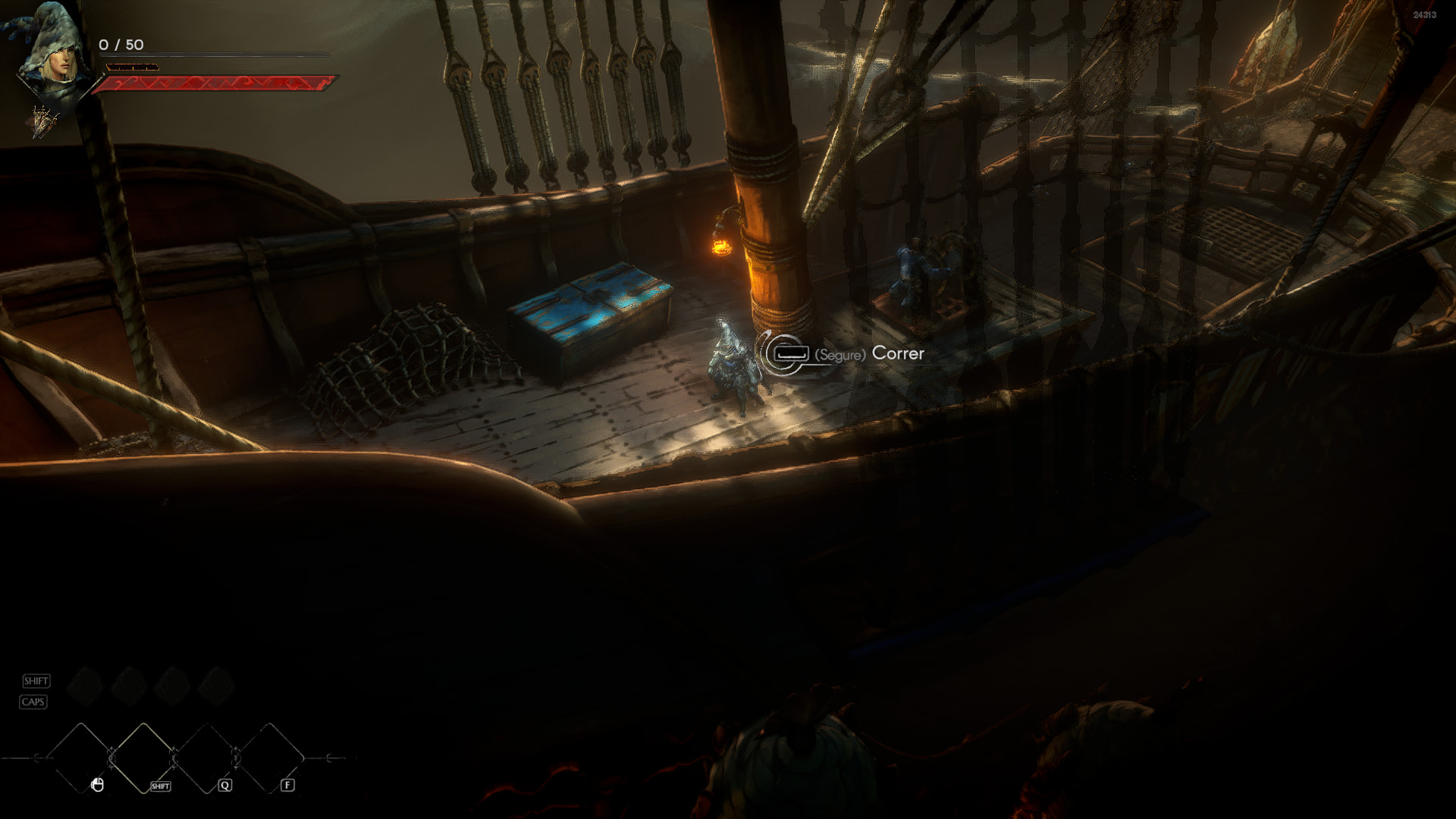
Hi! I was having the same problem. But I managed to solve it by fixing the DCVK 2.7.1 files available on the GitHub website. https://DCVK%202.7.1%20GitHub You only need to download this first file called dxvk-2.7.1.tar.gz
(9.83 MB)
In addition to downloading the files and extracting them using WinRAR, I needed to follow another guide in Portuguese https://www.clubedohardware.com.br/forums/topic/1702523-tutorial-instalação-do-dxvk-para-jogos-no-windows/ (but you can just translate the page  ) to copy and paste the correct files into the game folder.
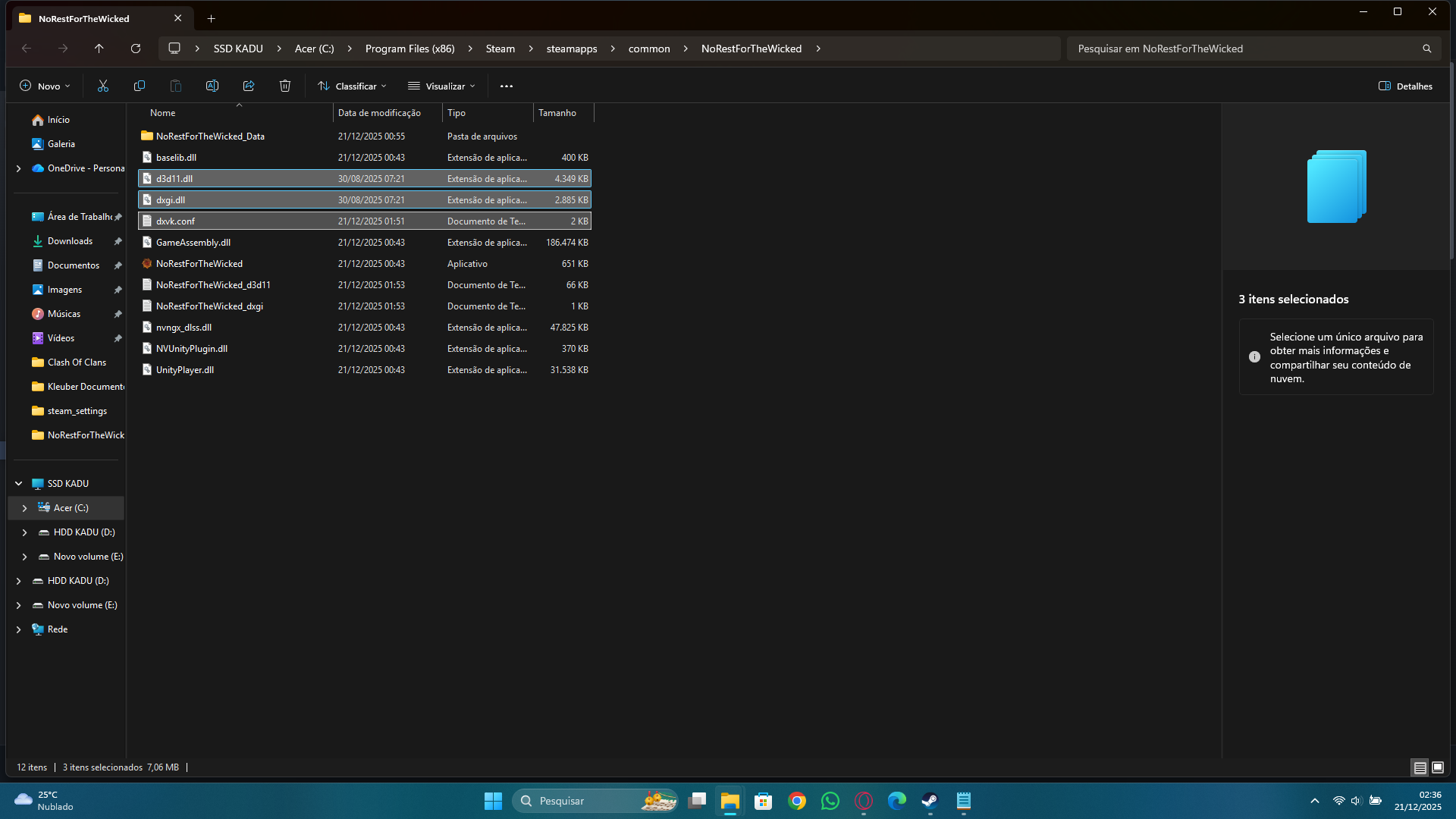
Because after downloading the DXVK 2.7.1 file, you need to extract it using WinRar and copy the d3d11.dll and dxgi.dll files located in the x64 folder to the folder where the game executable is located (since mine is from Steam, I just need to use the option to browse the game’s local files). Note: only copy the two files I mentioned above into the game folder. Because the game No Rest For a Wicked runs on DirectX 11 and uses a 64-bit architecture.
After copying the two files to the game folder, you need to create a text document and rename it to dxvk.conf, and remove the .txt extension from the end of the name. And insert the commands available in the Portuguese guide.
Just copy the list of commands available in the Portuguese guide.
After that, I ran the game normally through Steam and it worked, although there might be some FPS drops. But the game is in early access, and I hope they optimize it further so we don’t need all the things we did in this tutorial. 
Hi Kadu_Cardoso,
You were experiencing the same thing the original poster had problems with? The red haze?
I see you are trying out the Co-op beta, did you have the red haze issue also in live?
Silas
Man you are best of the best
Any update on this? I also noticed the same problem with Dead Space Remake with Intel Iris graphics drivers. Intel acknowledged the problem with the Iris Xe drivers with this but claimed the game is outdated and they want to focus on the newer games. Well, No Rest for the Wicked (which I also own) is still in early access so there is no excuse to not try to fix it.
It’s up to Intel to actually address this, take it up on their forums .
Silas
That is why I will never buy Intel integrated graphics again! Stick with AMD integrated graphics. Better compatibility.
If you happen to find this topic due to having the same problem, this has been officially recognized by Moon Studios and identified as an issue with the Intel Iris Xe Integrated Graphics.
System requirements for No Rest For The Wicked:

I encourage you to contact Intel if you want them to resolve this.
You can also try the proposed solution (marked as the solution to this thread) from Kadu_Cardoso. KNOW THIS IS YOUR OWN RISK TO TAKE.
If at some point in the future an official update from Intel fixes this, please let any moderator/Moon developer know!
Silas