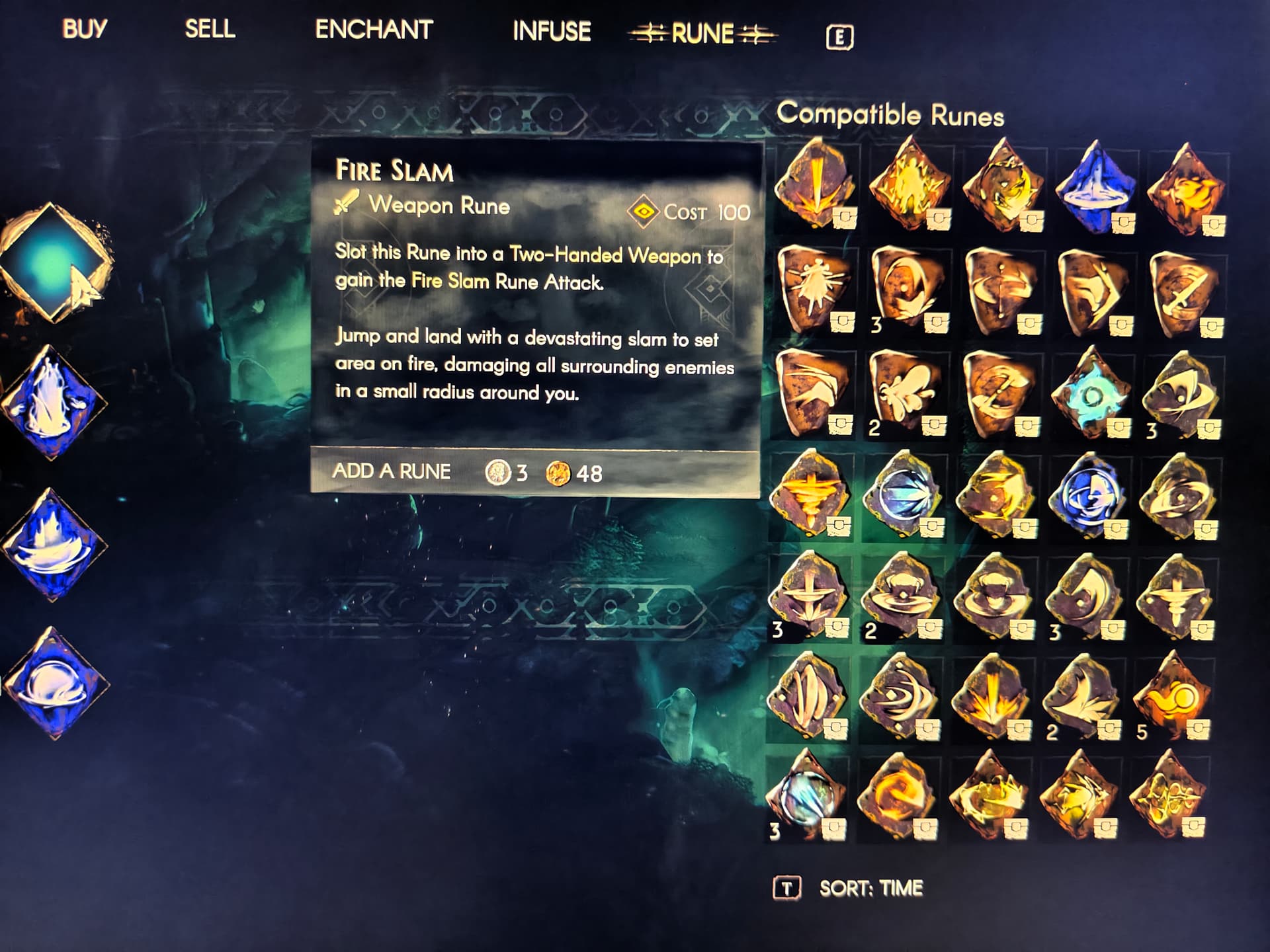
I’m not sure if this counts as a bug: In the Compatible Runes interface, the number of my Runes isn’t limited to just one page, but I haven’t found any page-turning or scroll-down buttons. Could it be that I’m just missing the way to navigate pages or scroll down? Any help would be appreciated.
1 Like
Same problem.
Took the ruins I wanted to use out of storage, kept on person and then went to add them to weapons.
Local ruins appear first in inventory
A qol update should fix it
1 Like
Thank you for bringing those to our attention.
Regards
Steve
Here is an extra fragment to showcase that in addition to what Xla is reporting, different runes will be brought forward depending on the toggle state.
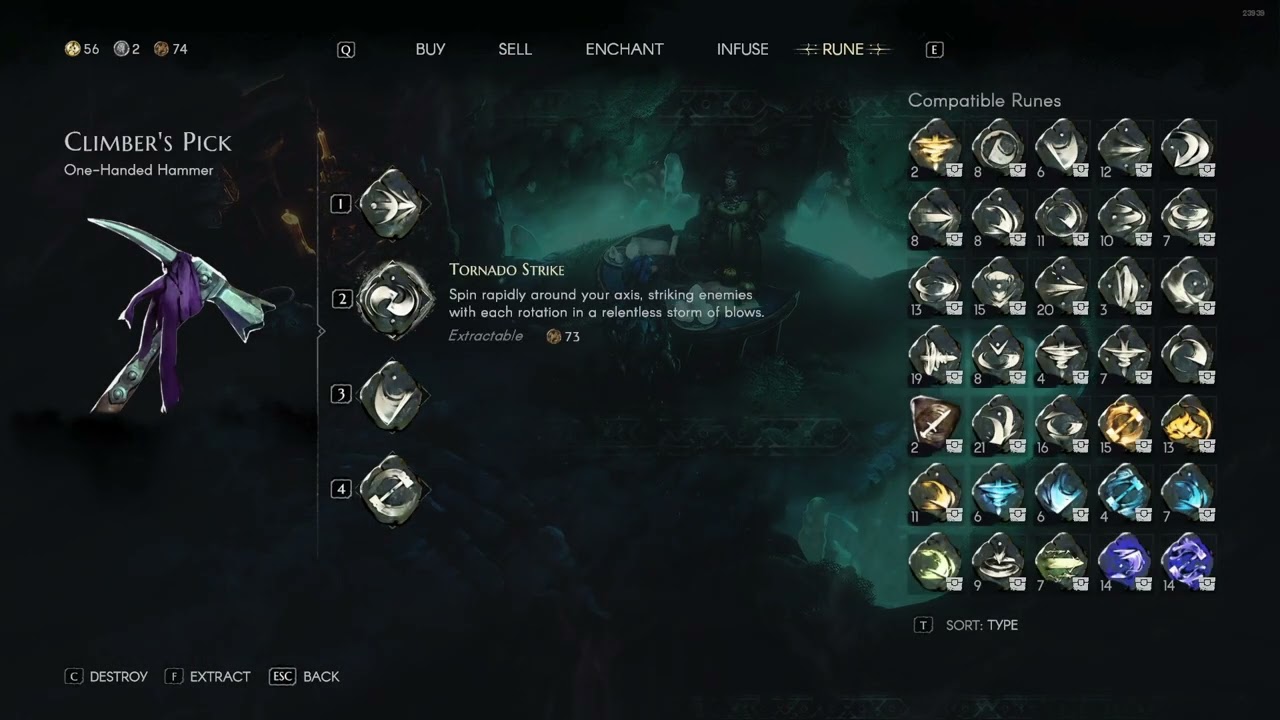
Hello, I don’t understand how to get all the rune options to show up.
I can sort the runes by time, rarity, or type, but as you can see, the window is always full.
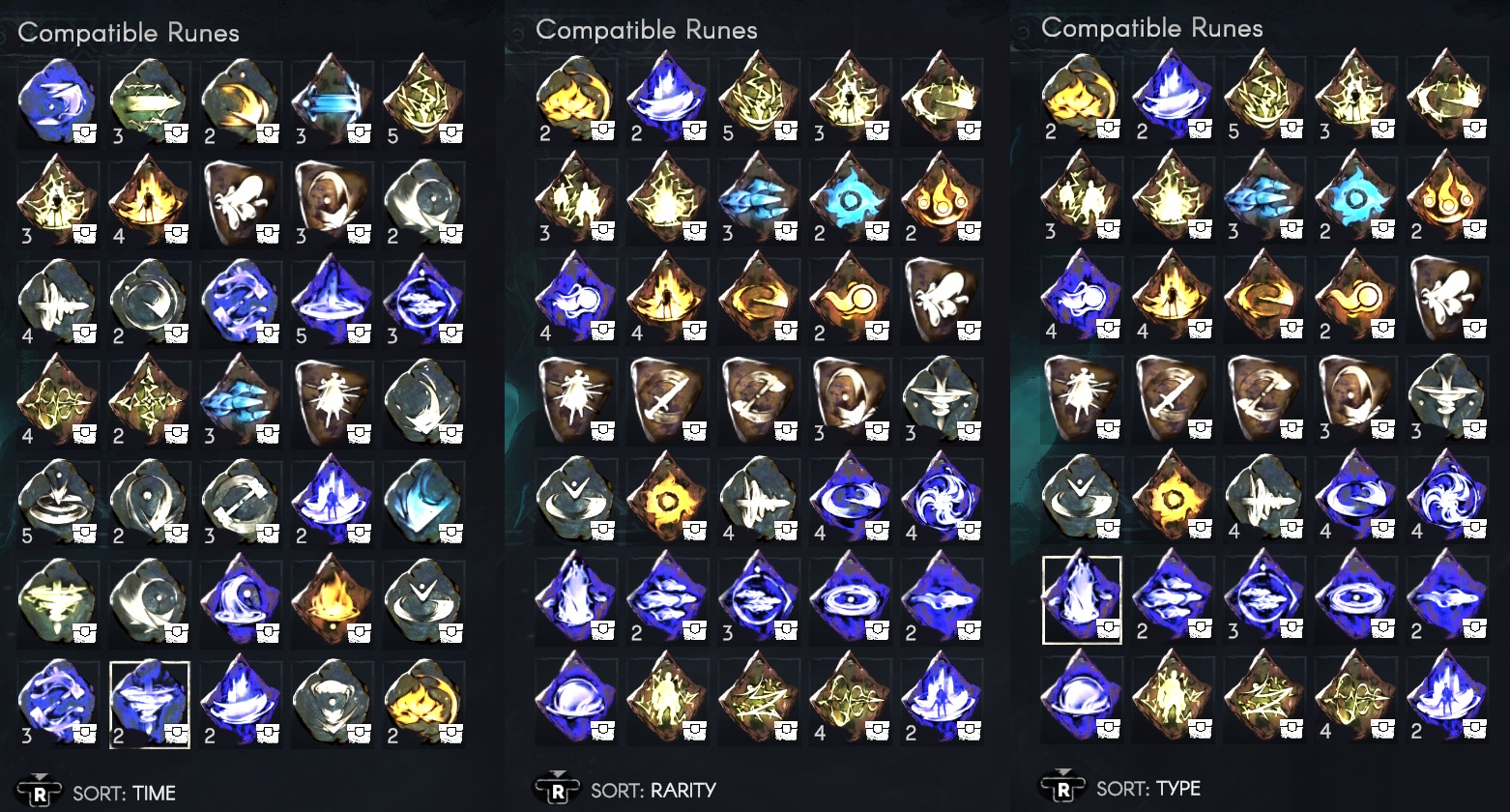
Where do I open page 2?
Do I have too many runes, or is the page-switching function missing in the rune menu? Clearly, not all runes are displayed…
Help me, I don’t want to have to destroy runes, sell them, or move to another realm…
cKy, I have merged your topic with this one because you actually stumbled upon a documented bug.
1 Like
You can’t, but the runes you have in your inventory appear before those in the chests, so you can still insert the runes you want; you just have to go and collect them manually from the chests.
Obviously it’s very inconvenient, we can only wait for the problem to be fixed in the next update.
1 Like
I was sure this must already exist somewhere, but I couldn’t find the topic…
Thanks for that, Silas! I really appreciate it.
Thank you so much! That solves my problem for now!
2 Likes
Platform/Input: PC — Xbox controller
Summary:
The Enchanter’s gem selection grid appears to have a display limit for unique gem entries. When you have a wide variety of gems (including Chipped and Mottled variants), the vendor gem selection list doesn’t scroll/page, so some gems are not shown and cannot be selected—even though they are present in storage (House Chest).
Steps to reproduce:
-
Accumulate a large variety of gems, including multiple variants (e.g., Chipped gems and Mottled gems) across inventory and/or House Chest.
-
Place at least one gem that you want to use (example: Medium Skull) into the House Chest.
-
Visit the Enchanter vendor and open Infuse (also likely reproducible in other gem-selection flows like Enchant).
-
Choose an item to infuse and open “Select a Gem to Infuse.”
-
Check the gem list/grid for the gem that is known to be present in storage (example: Medium Skull).
Expected:
All eligible gems (including all variants) should be available via scrolling/pagination or an expanded list so every gem can be selected.
Actual:
Once the number of unique gem entries/variants exceeds the UI capacity, some gems are cut off from the selection list and become unselectable (example: Medium Skull is visible in House Chest → Resources but does not appear in the Enchanter Infuse gem list).
Frequency: [100% / intermittent]
Notes:
-
This seems tied to the variety of gem types/variants, not just total quantity.
-
Likely a UI list limit (no scroll/page) rather than inventory detection, since the missing gem still exists in storage.
Attachments:
-
Screenshot showing the Enchanter → Infuse gem selection grid where not all mettled gems are listed (ex. Medium Skull)

1 Like
When infusing an armor, where all gems are allowed, not all gems are selectable when you have all types. Example below the mottled rubies are missing:

When I go to a weapon that does not have all gem options you see that I have mottled rubies:

A work around right now is to actually go get the mottled ruby from the chest and have it in the inventory:

Would be nice to have a next page button, another other is to add more boxes, there is space enough on the right. However I assume on v1.0 there will be more gem types/levels. And other people might not have all the gems neatly stacked in 1 stack, then each stack would also be shown here sepparate from eachother.
All these gems are in my main single player realm from my, I have 3 other shared realms where the amount of gems is ofcourse lower.
This might also give you an idea of how many gems a person might have after 580hrs (~150hrs before co-op since december) and 15 characters completely final gemmed gear.
I do buy a lot of gems from vendors when they have them.
If the higher gems are much more rare, and you need to convert them 5>1 or 10>1 or something theni think this is ok.
1 Like
The gem infusion UI can only show up to 35 gems. There are cases where more than 35 different gems are able to be infused. There are also cases where gems are stored in multiple player houses and take up more than 1 of the 35 available UI slots.
In my case, I was attempting to infuse a Mottled Diamond into Cloth armor. Because all of the gems are in my shared storage, the Mottled Diamond did not show up as able to be infused.
In order to infuse the Mottled Diamond, I needed to have it in my inventory so that it would be at the top of the gem list in the UI at the enchantress. This of course pushes other available gems out of the UI.
Bug Reproducible: Yes
Already Reported: No - Couldn’t find it
Suggested Fix: Add pages to the gem infusion UI so all available gems can be shown.
Player Logs: Unique Download Link | WeTransfer
DataStore: Link exclusivo para download | WeTransfer
DXDiag: Linux - Not Available

When you have one of each gem there is barely enough space in Elaenor’s interface to show them all.
If you have extra stacks of the same gems, for example you have a full chest of gems but a duplicate of some in your inventory, you cannot see all of the gem options in the infusion interface.
I have all of these gems;

but I only see this in the infusion interface;

This is fully repeatable and inconvenient.
I would expect to be able to scroll down in the interface if there are too many gems to display all at once.
1 Like
Same happens to me. I just never got around to reporting it. When this happens, I sometimes need to put the gem in my inventory because it won’t appear at the enchanting vendor.
2 Likes